
SQL files in. A pipeline out.
Number your SQL files, run one command, and qdata runs them as a pipeline on an embedded DuckDB engine. Every step is logged and cached, so after a fix you replay from that step instead of from scratch. With Pro, each query is checked against your approved tables and patterns before it runs. It fetches and crawls websites too, and you parse the pages with XPath in plain SQL. No Airflow, no Python environment, no server.
curl -fsSL https://cuiqanalytics.github.io/qdata/install.sh | sh
docker pull ghcr.io/cuiqanalytics/qdata
Free, with no pipeline or row limits on runs. No account, no telemetry. Works offline.
- 1crawl 5 pages: 5 fetched, 0 from cachefetched
- 2extract xpath_all(body, '//article/h3/a/@title')100 rows
- 3export output/books.csvwritten
✅ Pipeline completed in 5s
- 1crawl 5 pages: 0 fetched, 5 from cachecache
- 2extract xpath_all(body, '//article/h3/a/@title')100 rows
- 3export output/books.csvwritten
✅ Pipeline completed in 964ms
From download to first pipeline in under a minute
qdata demo creates a sample project you can run straight away.
New in 0.4 · Query certification
Check the query before it runs, not the data after
Most pipeline tools test the data once a model has already been built. qdata scores every SQL step before it runs against a registry of approved tables and approved queries that you keep in git. If a step reads a spreadsheet nobody owns, or rewrites the official revenue query its own way, you see that in the run, and with a threshold the step never runs.
A score from 0 to 100 for every step
- Sources · 40 How much of what the step reads comes from certified tables and files.
- Pattern · 40 Whether it is an approved query: 40 for an exact match, 25 when only literal values differ, 15 for the same tables and functions.
- Hygiene · 20 Joins, nested subqueries, hardcoded literals, CROSS JOIN and length.
Trust follows the data, not the table name. A table built in the run is trusted only if its own inputs were, so copying a CSV into a table called customers doesn't make it certified.
A step can opt out, but it has to give a reason, and the reason is recorded in the run log. Each score also stores a hash of the registry it was scored against, so you can show an auditor exactly which rules a number passed.
$ qdata run revenue.toml --certify-threshold 70- 3ingest_leads marketing_leads.csv isn't in the registryuntrusted
- 4revenue_by_segment pattern paid_revenue_by_segment, exact match100
- 5refunds_by_segment same pattern, different filter value85
- 6check_revenue pattern no_negative_revenue100
- 7lead_conversion reads leads · no pattern · 5 literals39
- 8q3_snapshot "One-off Q3 snapshot for the board deck"waived
✅ Pipeline completed · 9/9 steps
- 4revenue_by_segment sources 40 · pattern 40 · hygiene 20100
- 5refunds_by_segment sources 40 · pattern 25 · hygiene 2085
- 6check_revenue sources 40 · pattern 40 · hygiene 20100
- 7lead_conversion sources 20 · pattern 0 · hygiene 1939 · stopped
🛑 lead_conversion scored 39/100, below 70. It never ran.
examples/certification. Scores also go to --json, the logs.db run log and the qdata report HTML page.dbt tests
Run after a model is built and check the rows it produced. A wrong but well-formed query passes.
qdata certification
Runs before the step and checks what it reads and how it computes. It flags unapproved sources and off-pattern business logic even when the data looks fine.
Use both
Validate steps still check the rows. Certification adds the check for the query itself, from the same binary, with no extra service.
A folder of SQL files is a pipeline
Each file creates a table, and the next file reads it. The numbers set the order. The file name sets the role: ingest, validate and export are recognised, and everything else is a transform.
A validate step is a query that returns the bad rows. If it returns any, the run stops before bad data reaches your export.
demo/
├── data/users.csv
├── sql/
│   ├── 001_ingest.sql     CREATE OR REPLACE TABLE ingest AS … read_csv_auto(…)
│   ├── 002_transform.sql  … CASE WHEN score >= 800 THEN 'platinum' …
│   └── 003_export.sql     COPY transform TO '../output/results.csv'
└── output/
$ qdata demo && qdata run demo/sql
✅ Pipeline completed in 393ms
   📊 3/3 steps executed (100%)
📈 Total rows processed: 30| id | username | score | signup_date | tier |
|---|---|---|---|---|
| 1 | alice | 850 | 2025-01-05 | platinum |
| 2 | bob | 720 | 2025-01-08 | gold |
| 3 | charlie | 920 | 2025-01-12 | platinum |
| 4 | diana | 580 | 2025-01-03 | silver |
| 5 | eve | 690 | 2025-01-15 | gold |
Scrape a site with XPath in SQL
A scrape step fetches pages into a table, one row per URL with its status and HTML. It can enumerate {page} numbers, follow "next" links or start from a SQL query. It reads robots.txt, rate-limits each host, retries 429 and 5xx responses, and caches pages between runs.
Then you extract with the webbed DuckDB extension, which ships with qdata. One XPath per column and unnest gives you one row per match.
Server-rendered HTML only: qdata does not run JavaScript. Fetching a single page with an ingest step is free; crawling many pages is a Pro feature.
[[steps]]
name = "crawl"
type = "scrape"
output_table = "raw_pages"
urls = ["https://books.toscrape.com/catalogue/page-1.html"]
follow = { xpath = "//li[@class='next']/a/@href", max_depth = 4 }
rate_limit = "2/s"
cache = "12h"

[[steps]]
name = "extract"
type = "transform"
output_table = "books"
query = """
CREATE OR REPLACE TABLE books AS
SELECT unnest(xpath_all(body, '//article/h3/a/@title')) AS title,
       unnest(xpath_all(body, '//p[@class="price_color"]')) AS price
FROM raw_pages WHERE status = 200
"""| title | price |
|---|---|
| A Light in the Attic | £51.77 |
| Tipping the Velvet | £53.74 |
| Soumission | £50.10 |
Build and watch pipelines in your browser
Run qdata server start and open http://127.0.0.1:5000/ui. Drag input, transform, validate and output steps onto a canvas, then write each step's SQL in the editor beside it.
Switch to Monitor and press Run. Each step's badge changes as it goes from pending to running, completed or cached. Click a failed step to read the DuckDB error.
Every step is saved as a numbered .sql file in the pipeline folder. You can edit those files by hand, run them with qdata run or commit them to git.
The UI runs locally and needs Pro, because it uses the background scheduler.
- 1load_orders 001_load_orders.sqlcached
- 2by_region 002_by_region.sql (edited)completed
- 3export 003_export.sqlcompleted
What comes with every run
Replay from any step
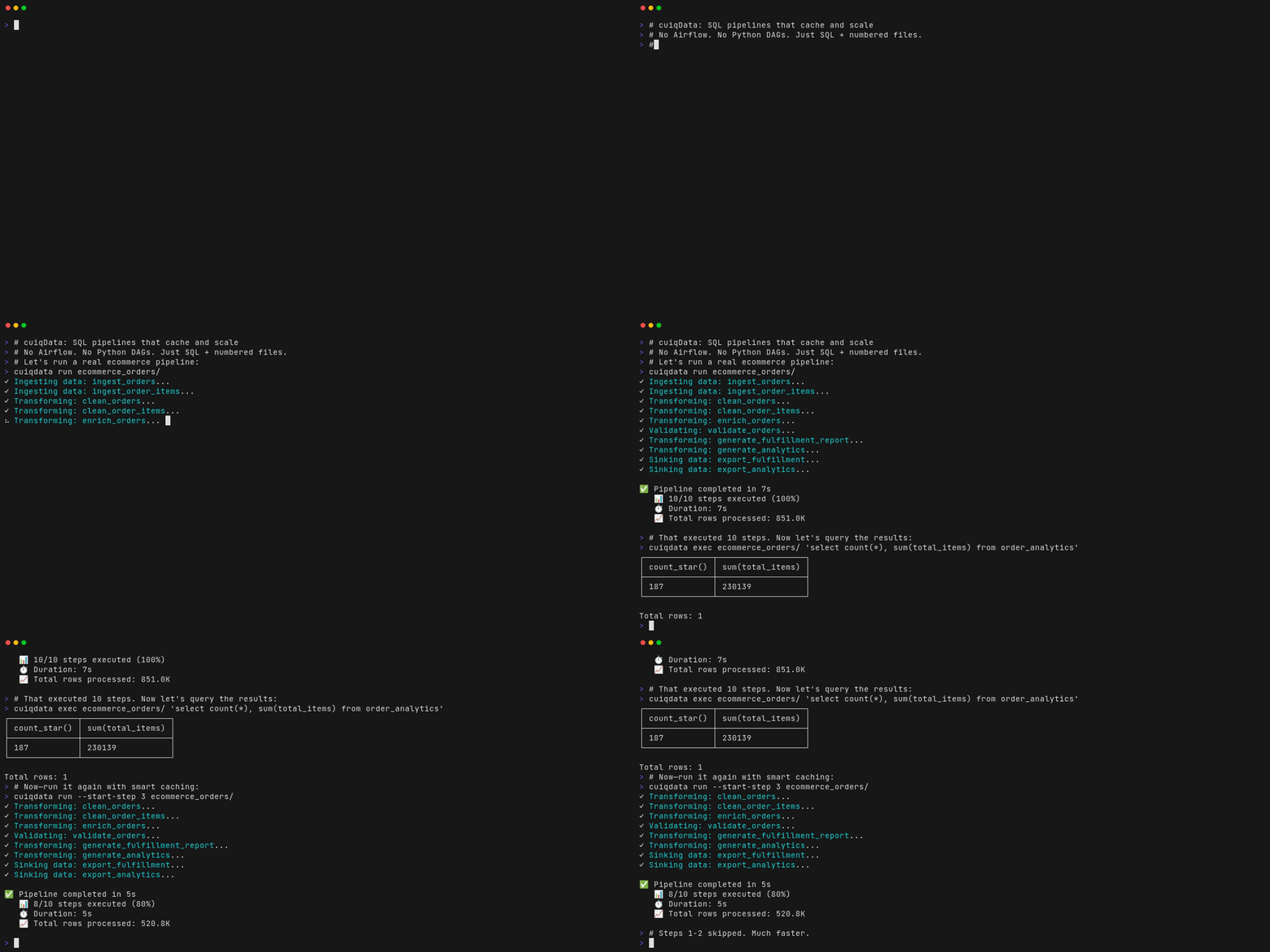
Pass --cache cache.db and step outputs are kept. Fix step 4 and run with --start-step 4; steps 1 to 3 aren't recomputed.
A log of every run
Each run, step, row count, duration and output hash goes into a local SQLite log. qdata report turns it into an HTML page.
Dry runs
--dry-run --preview 5 runs every query and shows the first rows of each step, without writing any exports.
Dates and variables
{{YYYYMMDD}}, {{date_sub(YYYYMMDD, 7)}} and environment variables work in paths and SQL, so a daily export names itself.
Files and databases
Read and write CSV, Parquet, JSON and Excel. Ingest from or sink to MySQL and PostgreSQL with a connection URI.
Offline by default
DuckDB and its extensions ship in the download, so a pipeline over local files never touches the network.
Or just ask Claude
qdata ships with a Claude Code skill. It knows when to use a SQL folder and when to use TOML, how the steps and their types are written, how to scrape with XPath, and what the free tier allows. It runs the pipeline and checks the output before it hands you the result.
~/.local/lib/qdata/install-skills.sh
Every morning, pull the job postings from our careers site into a Parquet file and tell me if the page layout changes.
I'll write jobs.toml. A scrape step follows the listing's pagination, an extract step pulls the title, team and location with XPath, and a validate step fails the run if any of those come back empty. I'll run it once with --dry-run --preview 5 to check the rows, then schedule it with qdata schedule add.
Free for everyday pipelines. Pro when they grow.
qdata
$0
- SQL folders and TOML pipelines, with no limit on pipelines or steps
- Step replay, dry runs and the run log
- CSV, Parquet, JSON and Excel in and out
- webbed HTML/XML parsing and single-page fetches
- MySQL and PostgreSQL connectors, HTML run reports
- Template variables, validation steps and the Claude Code skill
Pro
$49 one-time, with 1 year of updates
- Query certification: score each step against your registry of approved tables and queries, and stop the run below a threshold
- Multi-page crawling: pagination, link following, page cache
- Background scheduler with cron, plus a REST API
- Browser UI for building pipelines and watching them run
- Any DuckDB extension, set in
[config] extensions - Full DuckDB resources: no thread, memory, query-complexity or preview caps
Optional renewal at $19 a year after the first year. Teams, on-prem use or invoicing: write to us.
Questions
Does it need internet access or an account?
No. It's one download with DuckDB and its extensions inside, and Pro licenses are verified offline. It only goes online when your pipeline fetches a URL. No telemetry.
Does it run on macOS and Windows?
The native binary is for Linux (x86-64). On macOS and Windows, use the Docker image: docker pull ghcr.io/cuiqanalytics/qdata. On Apple Silicon, add --platform linux/amd64.
Can it scrape sites that load content with JavaScript?
No. qdata reads the HTML the server sends. Many such sites load their data from a JSON API, which you can see in your browser's network tab. Point an ingest step at that URL and it loads as a table.
Is scraping with it polite?
By default, yes: the crawler obeys robots.txt (including Crawl-delay), limits requests per host, and sends the user agent you set. Checking a site's terms of use is still up to you.
How is this different from dbt or Airflow?
There's no project framework to learn and no scheduler service to run. A pipeline is a folder of SQL files that runs on your laptop or a single server. dbt tests check the rows a model produced; qdata's certification (Pro) checks the query itself before it runs, against the tables and queries your team approved. When you need a schedule, Pro adds one in the same binary.
Is there a graphical interface?
Yes, with Pro. qdata server start serves a browser UI at http://127.0.0.1:5000/ui. You use it to build pipelines on a canvas and to watch each step run. The steps are saved as ordinary .sql files, so the UI and the command line work on the same pipeline.
What does query certification need?
A folder of TOML files listing your approved tables (with the files or connections that produce them, an owner and a status) and approved query patterns. Keep it in git and review changes like code. Point [config] registry at it and run with --certify or --certify-threshold N. qdata docs certify has the details.
What happens if my Pro license lapses?
Pro features stop. Everything in the free tier keeps working, and your pipelines and outputs are untouched.
Can an AI assistant use qdata?
Yes. Install the Claude Code skill and describe the pipeline you want. Claude writes the SQL or TOML, runs it and checks the output.