
A users table for a seed script
Names, matching emails and real cities. Change -n for more rows.
rgen run -n 1000 -p "uuid;first_name;last_name;email;city;country" users.csvNames that match their emails, cities that exist, order amounts with a real long tail, foreign keys that actually join. rgen runs on an embedded DuckDB engine and writes CSV, JSON, Parquet, Excel, DuckDB or SQLite. No Python environment, no Faker scripts.
curl -fsSL https://cuiqanalytics.github.io/rgen/install.sh | sh
docker pull ghcr.io/cuiqanalytics/rgen
Free, with no row limits. No account, no telemetry.
docker pull to a cloned dataset in 52 secondsEvery command and every row in this video is real rgen output.
List the columns you want, separated by semicolons. Rename them with as. Let later columns build on earlier ones: here the email is made from the generated name, so the rows hold together when someone reads them.
Pick the format with the file extension. .parquet, .json and .xlsx work the same way.
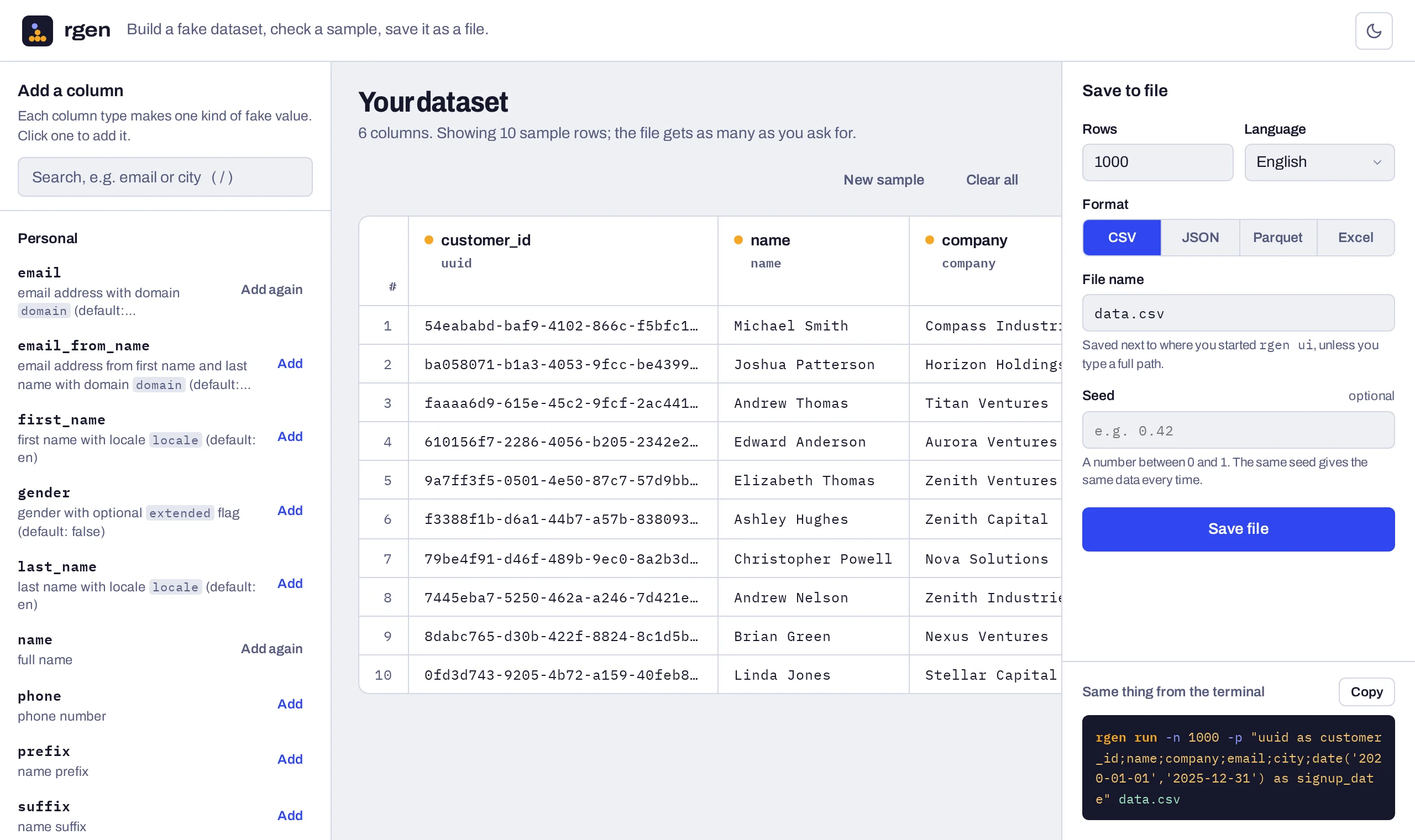
Prefer clicking? The editor builds the same command for you.
$ rgen run -n 1000 -p "first_name;last_name;
  email_from_name(first_name,last_name) as email;
  city;company as employer" customers.csv
✓ 1000 records in 86ms (102 KB)| first_name | last_name | city | employer | |
|---|---|---|---|---|
| Brian | Taylor | brian.taylor@example.com | Vyazemskiy | Titan Solutions |
| Paul | Harris | paul.harris@example.com | Kavajë | Quantum Solutions |
| Ronald | Phillips | ronald.phillips@example.com | Phalodi | Pinnacle Dynamics |
| Hannah | Parker | hannah.parker@example.com | Tuttlingen | Spectrum Ventures |
| Richard | Miller | richard.miller@example.com | Kovancılar | Pinnacle Industries |
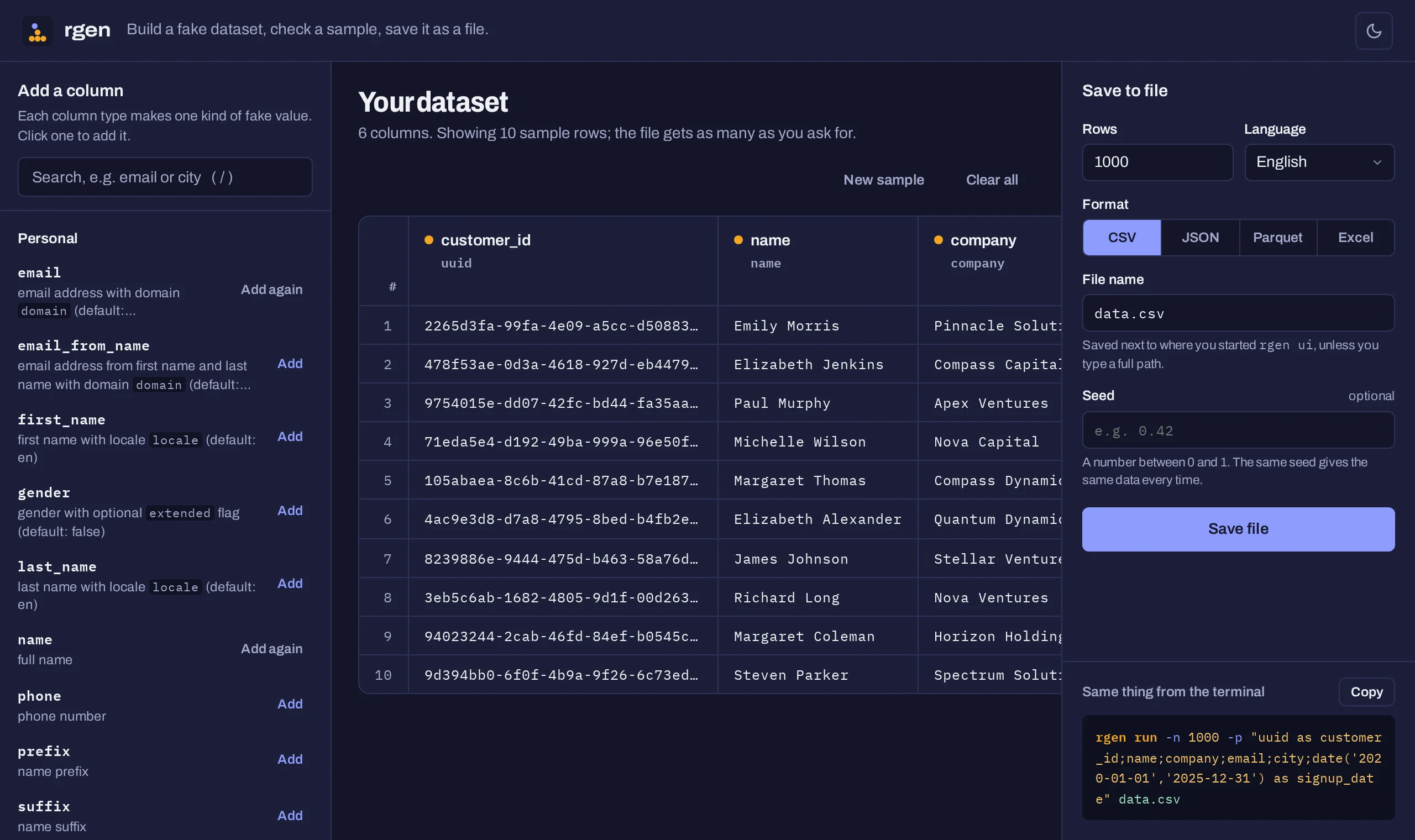
Run rgen ui and the editor opens in your browser. Pick columns from the list, rename them, check ten sample rows, then save the file as CSV, JSON, Parquet or Excel. It also shows the matching rgen run command, ready to paste into a script.
rgen ui
Each sample below came out of rgen. Filter by name, category or what you need.
| Provider | Category | Sample values |
|---|
Real data has nulls, shouting capitals, half-typed names, broken emails, negative amounts and dates in the wrong format. Add --impurity-profile and rgen breaks a share of the cells the way real systems do, so your pipeline meets those problems in testing.
clean0%realistic3%noisy10%dirty25%chaotic50%$ rgen run -n 400 --impurity-profile dirty \
-p "first_name;email;date(...) as signup;amount(10,500) as amount" signups.csv| first_name | signup | amount | |
|---|---|---|---|
| Dorothy | mark.murphy56@example.com.fake.com | 2024-05-25 | 24 |
| Carol | matthew.williams14@example.com | 2024-02-16 | -367 |
| Jessica | patricia.thompson75@example.com | 11/08/2024 | -250 |
| NULL | dorothy.carter71@example.com | 2024-10-14 | 27 |
| Kimberly | martha.collins74 | 2024-07-09 | -493 |
| Michelle | andrew.davis66example.com | 2024-01-24 | 167 |
| Bar | edward.brown62@example.com | 2024-04-08 | 318 |
| LISA | NULL | 2024-12-13 | 82 |
Describe a schema in TOML: foreign keys, category mixes, skewed amounts, computed columns. rgen builds parents before children, so every reference points at a row that exists.
[[tables]]
name = "customers"
rows = 2000
    [tables.columns]
    customer_id = { provider = "uuid", primary_key = true }
    name        = { provider = "name" }
    country     = { provider = "choice",
                    distribution = "weighted",
                    params = { values = ["US", "UK", "DE", "MX"],
                               weights = [0.5, 0.2, 0.2, 0.1] } }

[[tables]]
name = "orders"
rows = 20000
    [tables.columns]
    order_id    = { provider = "uuid", primary_key = true }
    customer_id = { provider = "choice",
                    reference = "customers.customer_id" }
    ordered_at  = { provider = "date",
                    params = { from = "2025-01-01", to = "2025-12-31" } }
    amount      = { provider = "amount",
                    distribution = "lognormal",
                    params = { min = 5, max = 2000,
median = 60, std_dev = 40 } }$ rgen run --config shop.toml shop.duckdb
✓ customers: 2000 rows
✓ orders: 20000 rows
$ duckdb shop.duckdb -c "
SELECT c.country, count(*) AS orders,
round(avg(o.amount), 2) AS avg_amount
FROM orders o JOIN customers c USING (customer_id)
GROUP BY ALL ORDER BY orders DESC"| country | orders | avg_amount |
|---|---|---|
| US | 10,402 | 70.82 |
| UK | 4,113 | 71.49 |
| DE | 3,705 | 72.41 |
| MX | 1,780 | 70.73 |
Every one of the 20,000 orders joins to a customer, and the 50/20/20/10 country mix carries through.
Entities × time buckets. 50 sensors reporting hourly for June is 34,850 rows, with temperatures that drift as a random walk instead of jumping around.
mode = "timeseries"
Simulate accounts moving between states, with probabilities and delays you set. Out comes an event log:
mode = "state_machine"
Attach an existing DuckDB, SQLite, CSV or Parquet file and draw values from it, matched by key or picked at random.
[[attach]]
Point rgen twin at a CSV, Parquet, SQLite or DuckDB file. It profiles each column (distribution shape, category mix, date range, ID pattern) and generates a fresh dataset with the same shape. Share it with contractors, put it in CI, demo with it. Not a single real row comes along.
Want to adjust the result first? rgen profile sales.csv prints the config it inferred.
$ rgen twin --scale 2.0 sales.csv twin.duckdb
Profiling sales.csv...
Generating synthetic twin → twin.duckdb
✓ data: 10000 rowsrgen ships with a Claude Code skill. It knows the provider list, when to use a one-liner and when a TOML config, how foreign keys and distributions are written, and the mistakes to avoid. It checks its work by running rgen before it hands you the result.
~/.local/lib/rgen/install-skills.sh
Seed my dev database with 500 customers, their orders and order items. Most orders should be small, a few huge.
I'll write seed.toml with three linked tables: order_items references orders, orders reference customers, and amounts follow a lognormal so most are small with a long tail. Then I'll run rgen run --config seed.toml dev.duckdb and check the joins before handing it over.
Copy one, run it, then change it. Every command works on the free CLI.
Names, matching emails and real cities. Change -n for more rows.
rgen run -n 1000 -p "uuid;first_name;last_name;email;city;country" users.csvPrint a few rows to the terminal instead of a file while you pick columns.
rgen run --preview -p "name;email;phone;company"A built-in template with foreign keys. Edit the TOML to add columns or change row counts.
rgen templates orders > orders.toml && rgen run --config orders.toml shop.duckdbBlanks, typos and malformed values in about a quarter of the cells, to test validation and cleaning code.
rgen run -n 5000 --impurity-profile dirty -p "uuid;email;first_name;city" dirty.csv50 sensors with hourly random-walk temperatures, from the examples folder.
curl -fsSLO https://raw.githubusercontent.com/cuiqanalytics/rgen/main/examples/sensors.toml && rgen run --config sensors.toml readings.duckdbProfile a CSV, Parquet, SQLite or DuckDB file and generate synthetic rows with the same shape.
rgen twin --scale 2.0 sales.csv twin.duckdbMore in the quick reference and the examples folder. rgen templates lists the built-in configs.
Packs add curated reference data, new providers and ready-made templates on top of the free CLI. Every pack is checked with automated tests, and identifiers are verified with independent validators.
rgen license install <KEY> && rgen packs install ./fintech.rgenpackrgen providers, and its configs in rgen templates.rgen templates fintech/card-transactions > cards.toml && rgen run --config cards.toml cards.duckdbLicenses are checked offline. If one lapses, the pack stops loading; the free CLI and everything you already generated stay yours.
$0
rgen profile and rgen twin digital twinsrgen ui, a visual editor in your browser$79 per year
$199 per year
Teams, on-prem use or invoicing: write to us.
No. Every row is generated. Reference lists such as city names, occupations, merchant categories and wage statistics come from public datasets, but the people, accounts and IDs are random. A generated ID can still match a real one by chance, so never use it to contact, verify or charge anyone.
Yes. The data you generate is yours: put it in demos, tests, docs or products. rgen packs info <pack> lists the public sources inside each pack and their licenses.
No. It's a single binary that runs offline, and pack licenses are verified offline too. No telemetry.
Yes. rgen ui opens an editor in your browser: search the providers, add and reorder columns, preview rows, then save the file. It runs on your machine, listens only on localhost and needs no internet. --port changes the port (default 7842).
The native binary is for Linux (x86-64). On macOS and Windows, use the Docker image: docker pull ghcr.io/cuiqanalytics/rgen.
Pack identifiers pass the same checks real systems use: Luhn for cards, IBAN mod-97 with national check digits, US routing numbers, CLABE, and the check digits of RUT, CUIT, CURP, RFC, CPF, CNPJ, NIT, RUC and CI. We test them against python-stdnum and schwifty on every pack build.
That pack stops loading. Everything else keeps working, and data you already generated is unaffected.
Email rodrigo.abt@gmail.com with the pack you want. You'll get a license key and the pack file, usually within a business day. Card checkout is coming.
Yes. Write to us and we'll sort it out.
Yes. Install the Claude Code skill and ask for the data you need; Claude picks the providers or writes the TOML config and runs rgen for you.